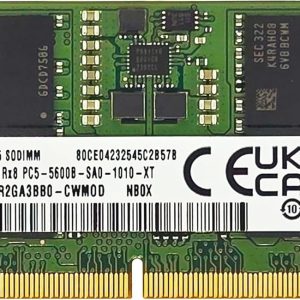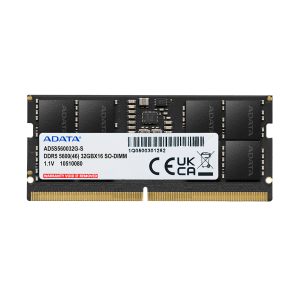

When shopping for high-end RAM, you’ll see specifications like CAS 16, CAS 18, or CAS 20. But there’s also another crucial factor that often gets overlooked: MHz speed. This comprehensive guide breaks down RAM speeds and their real-world impact on performance, helping you make an informed decision when upgrading your system.
Understanding MHz: What It Means
MHz (Megahertz) refers to how many cycles per second your RAM can complete. In essence, it measures the frequency at which your memory can read and write data. Higher MHz means more data can be processed per second, which theoretically results in better performance. However, the relationship between MHz and real-world performance is more nuanced than you might think.
For example, DDR4 speeds typically range from 2400MHz to 3600MHz, while DDR5 can go from 4800MHz to 6400MHz or beyond. But simply comparing raw numbers isn’t always fair since DDR5 uses a different architecture and can handle data differently than DDR4.
Real-World Performance Impact
For most users and applications, the difference between 2400MHz and 3200MHz is surprisingly negligible in everyday tasks. Let’s break down performance improvements by use case:
Gaming Performance: In demanding AAA titles like Cyberpunk 2077 or Starfield, faster RAM can provide a 5-10 FPS improvement, especially at higher resolutions. Games like Valorant and CS:GO see minimal differences because they’re already well-optimized and CPU-bound rather than memory-bound.
Office Work & Productivity: If you’re using Microsoft Office, browsing the web, or handling documents, you’ll notice virtually no difference between 2400MHz and 3200MHz RAM. Your bottleneck in these applications is typically the CPU or storage, not memory speed.
Content Creation & Video Editing: Software like Adobe Premiere Pro, After Effects, and DaVinci Resolve can see 3-8% render time improvement with faster RAM, especially when working with 4K or 8K footage. For 1080p content, the gains are minimal.
3D Rendering & CAD: Professional workloads like Blender, Cinema 4D, and AutoCAD show modest improvements, typically 5-12% depending on scene complexity and polygon count.
Data Analysis & Programming: Python scripts, SQL databases, and data science workloads benefit from faster RAM, but again, the improvement is usually 3-7%.
Speed vs Latency Trade-off: The Complete Picture
RAM performance isn’t just about MHz—it’s a complex interplay between speed and latency. There’s an interesting relationship where faster RAM with higher latency can sometimes perform similarly to slower RAM with lower latency.
For example:
- 3200MHz CAS 16 RAM might perform similarly to 2800MHz CAS 14 RAM
- The true latency in nanoseconds = (CAS Latency / Speed in GHz) × 2000
- A lower latency number doesn’t always mean better performance if the speed is lower
AMD Ryzen vs Intel: Why RAM Speed Matters More for Ryzen
Here’s a critical factor many overlook: AMD Ryzen processors are significantly more sensitive to RAM speed than Intel chips. This is due to Ryzen’s architecture and how it manages memory latency.
Ryzen Performance Impact by RAM Speed:
- Going from 2400MHz to 3000MHz: ~5-8% FPS gain in gaming
- Going from 3000MHz to 3600MHz: ~3-5% additional gain
- Going from 3600MHz to 4000MHz+: ~1-2% additional gain (diminishing returns)
Intel systems show roughly half these improvements, making DDR4/DDR5 speed less critical for Intel users compared to Ryzen builders.
Practical Budget Recommendations
Budget Build ($300-500): Save money by getting 16GB 2400-2666MHz RAM. You won’t notice the difference in most workloads, and you can allocate your budget to the GPU or CPU instead.
Mid-Range Build ($800-1500): 16GB 3200MHz DDR4 or 3600MHz is the sweet spot. You get noticeable performance improvements without excessive premium costs. This tier offers the best value.
High-End Gaming ($1500-2500): 32GB 3600MHz DDR4 or 5600MHz DDR5 gives you the best gaming experience today. The speed improvement is worthwhile at this price point.
Professional Workstations ($2500+): For video editing, 3D rendering, and data science, invest in 64GB+ at 3600MHz+ with lower latency. The performance gains compound when working with massive datasets.
Overclocking Considerations
If you’re considering overclocking your RAM, remember that pushing MHz higher can improve performance by 5-15%, but stability becomes a critical concern. Use tools like MemTest86 to ensure stability, and don’t expect dramatic real-world improvements.
Our Recommendation
Choose RAM that matches your motherboard’s rated speed—usually 3200MHz for DDR4 or 5600MHz for DDR5. Don’t overpay for extreme speeds unless you’re specifically building for Ryzen processors or professional workloads. For most gamers and professionals, the difference between standard speeds and premium speeds is 3-10% at best, making it rarely worth the premium unless you have a specific performance target in mind.
The best RAM is the one that fits your budget and provides the capacity you need. Speed matters, but it’s not the end-all-be-all of system performance.